
How to Connect Bluetooth Mic to Delphi DEA500 & Aptiv DEA700 Series Stereos
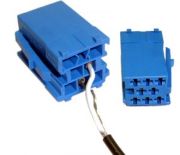
The wire on the mic is about 12-feet long. To begin installation you first must decide where is the best location for the mic based on your driving and posture habits. The mic should be facing away from (or at least not directly toward) the driver-side window to avoid picking up wind and road noise. Secondly the slotted openings on the mic should be visible to the driver while seated in the truck.
Now that you’ve decided on the best location, it’s time to route that 12-feet of wire. Newer trucks with more cosmetic trim can add a level of complexity, but take your time to ensure the bluetooth mic wiring will not come into contact with any moving or mechanical parts. Also be careful to not crimp, crease or fold the wiring as this may cause minor defects in the inner copper strands which can lead to diminished voice audio quality.
Once wire routing is complete there will likely be at least a few feet of “extra” microphone wire. This excess of wire should be carefully and neatly wound into a small hoop which can be secured using zip type cable ties, electrical tape or even twist ties. Make sure to leave enough free to reach the back of the stereo.
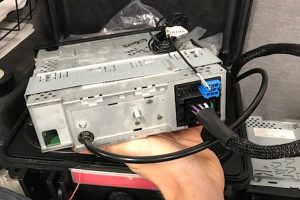
No microphone pairing is required. Your cellphone will however need to be digitally paired to the stereo. So once the wires are connected you can slide the stereo into the metal “cage” and power the unit on. Simply follow the instructions in the owner manual to pair your bluetooth capable cellphone. You can now place and receive calls through the stereo!